


I. Menu Categories

- Airdrop Project: I’ve rounded up all the Airdrop projects and shared them here, complete with detailed guides for each one.
- Promising Airdrop Projects: If you’re short on time and can’t tackle every deal, you can pick from these. I’ve carefully filtered and selected them, but there’s a risk you might miss out on some really good ones.
- CEX Airdrop: This is where I list cash-paying deals from exchanges. You should do these to earn some quick cash every month to cover fees.
- Blog: Articles about crypto.
- Dapp Aggregator: A collection of essential dApps in the crypto market.
II. Logging In and Signing Up
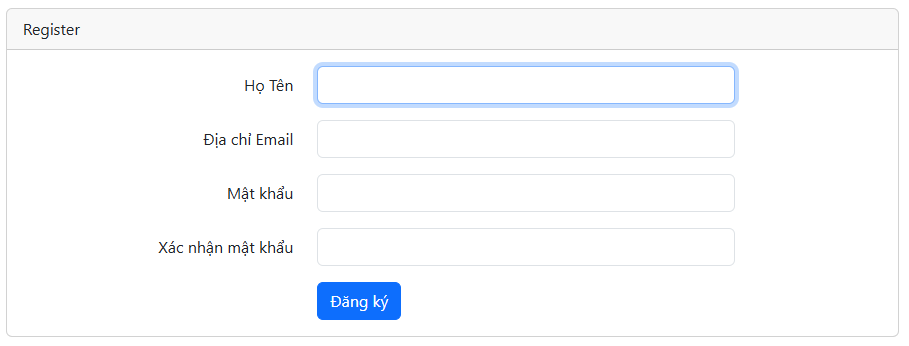
First, click “Sign Up” and fill in the required info in the form below:
After entering your info and successfully signing up, log in to your account on the website. Once you’re logged in, it’ll look like this:
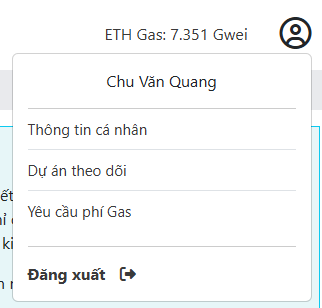
“Personal Info” is where you can edit your personal details.
“Followed Projects” is for managing the projects you’re keeping tabs on.
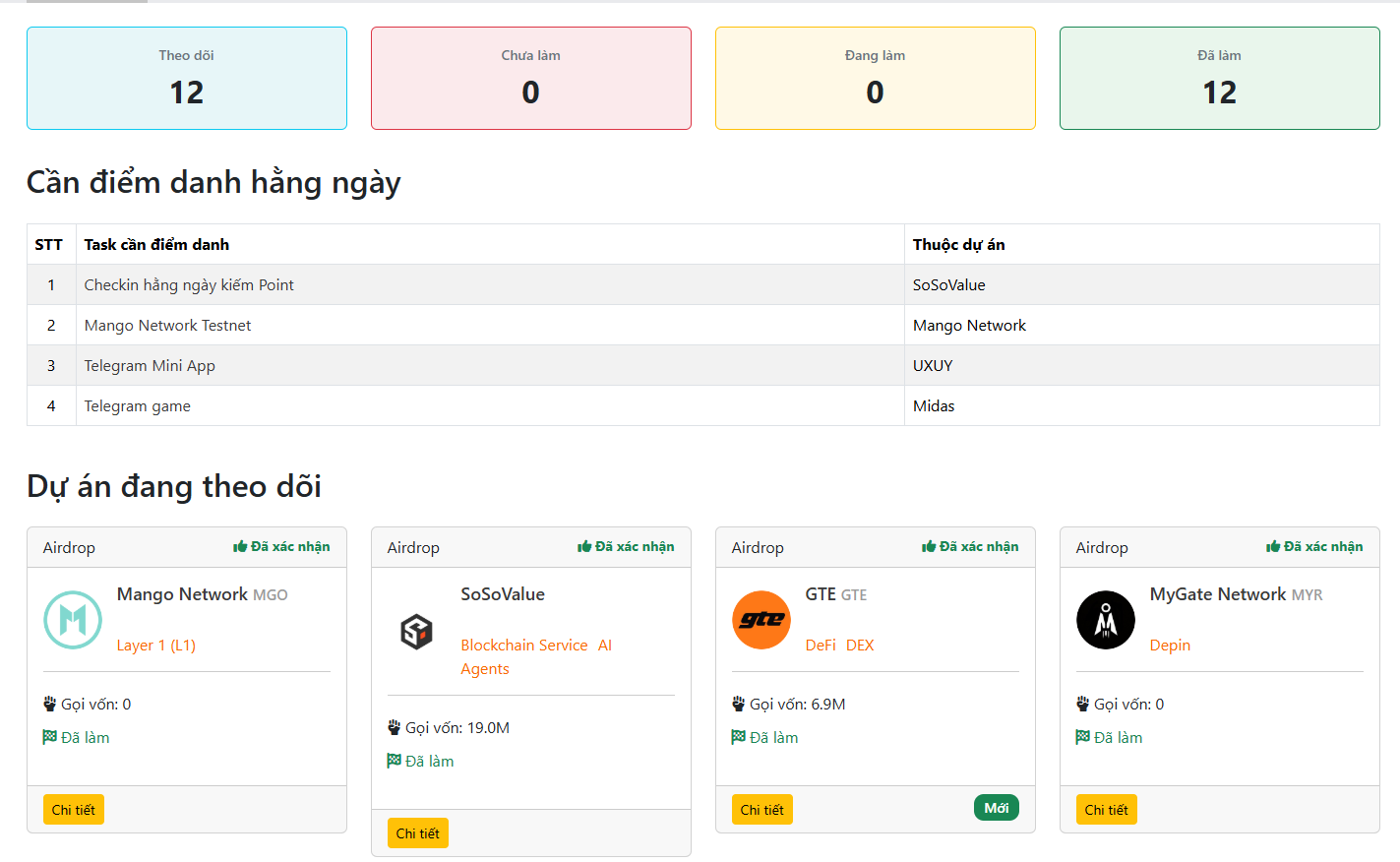
This section shows all the key info. The projects you’re following will pop up here, and it’ll also display any projects that need daily check-ins so you can easily jump in and get stuff done.
III. Project Info: When you check out a project, you’ll find all the details about it. Plus, pay attention to this section:

If you want to follow a project, hit the “Follow” button and pick a status. After that, it’ll show up in your “Followed Projects” section. From there, you’ll get notifications about any updates so you can stay on top of things and not miss out.